App: Manything
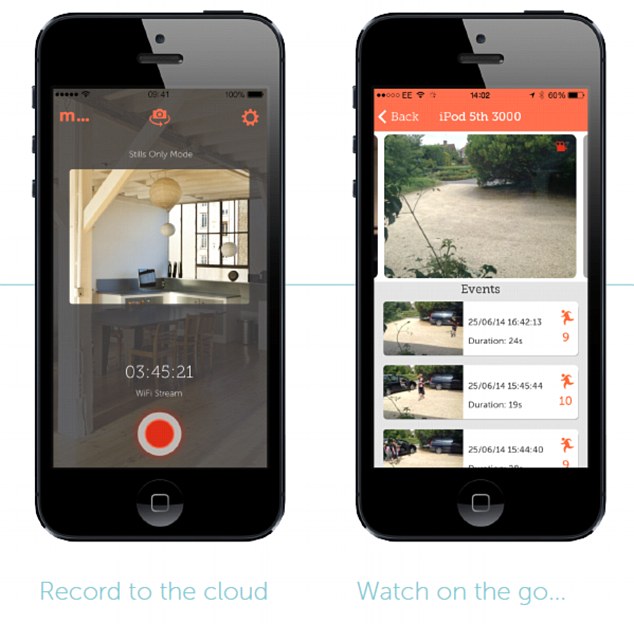
The app that turns your phone into a CCTV camera: Manything (iOS) livefeeds your home – and it’s already caught its third criminal.
A burglar alarm is a powerful deterrent, but if a criminal isn’t scared off then you need as much information as possible to help catch them.
Now an app is helping police solve break-ins in both the UK and US by transforming disused phones into DIY CCTV cameras.
The software is free providing only one camera is used, but it does require homeowners to have two iPhones – one to record any action and one to monitor the house remotely.
‘We analyse all the pixels in the image every half a second and work out if anything has changed [to detect motion] a spokesman from the app tod MailOnline.
‘It’s done using a grid so that users can select which areas of the scene they want the motion detection to be active for.’
The app, called Manything, recently caught its third criminal, who was in the act of burgling a flat in the south of England.
Questions about this article
How does the Manything app work?
One iPhone is set up as a camera at home and a second iPhone is used to watch remotely. If the app detects movement, the user gets a notification with a live video feed.
How does Manything detect motion?
A spokesman said the app analyses all pixels in the image every half second to see whether anything has changed, using a grid so users can choose which areas to monitor.
Questions and answers added in 2026, based on the article above.