App: Ghost apps
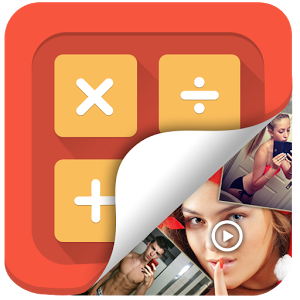
Parents are being warned there are now more than 200 types of “ghost apps” available for download to help kids hide photos and their activities online.
The deception apps appear like innocuous or common icons, such as a calculator, but can be used to store photos, games or even other apps.
And an increasing number have functions such as hidden web browsers or the ability to take secret pictures.
“They’re deliberately designed with camouflage in mind to make it really hard to find,” Family Zone co-founder Tim Levy said.
“There is a whole raft of alternative apps that hide internet usage, that avoid school filtering systems, that access the dark web (an encrypted area of the internet often used for sinister or illegal purposes).”
Research by Perth-based company Family Zone, which has developed a product that allows parents to monitor and control their children’s internet use, found more than 200 types of deception apps and more than 60 types of vault apps were being used in Australia.
“Increasingly these apps are including other functions such as hidden web browsers and the ability to take secret pictures,” Mr Levy said.
“They have been downloaded 500,000 times in Australia in the past six months and it’s safe to say most of these would be by kids.”
Apps such as Stealth Cam and Top Secret Camera are among those that can take secret pictures by blanking the screen, activating the camera by motion sensor or muting the shutter sound.
Other common “vault apps” are opened by pass codes or have security features such as taking photos of anyone trying to access them with the wrong code.
Surf Online Safe founder Paul Litherland said decoy apps weren’t necessarily being used for nefarious purposes.
Some students used them as a second layer of security in case anyone hacked their phone at school and tried to use content for cyber-bullying, Mr Litherland said.
“If a parent’s panicking because their child might have a photo vault on their device, that doesn’t necessarily mean that’s where they’re hiding their nudes; it might just mean they don’t want anyone grabbing their phone and looking through their photos.
The Office of the Children’s eSafety Commissioner recommends parents be proactive by setting up parental controls.
Bronnen: Herald Sun, IT Wire
Questions about this article
What are ghost apps?
Ghost or deception apps look like ordinary apps, such as a calculator, but are used to hide photos, games or other apps. Some also have hidden web browsers or can take pictures secretly.
Are ghost apps always used to hide something harmful?
Not necessarily, according to Paul Litherland of Surf Online Safe. Some students use them as a second layer of security in case someone hacks their phone at school and tries to use their content for cyberbullying.
What can parents do about ghost apps?
The Office of the Children’s eSafety Commissioner recommends that parents be proactive and set up parental controls.
Questions and answers added in 2026, based on the article above.