Facebook Safety Check
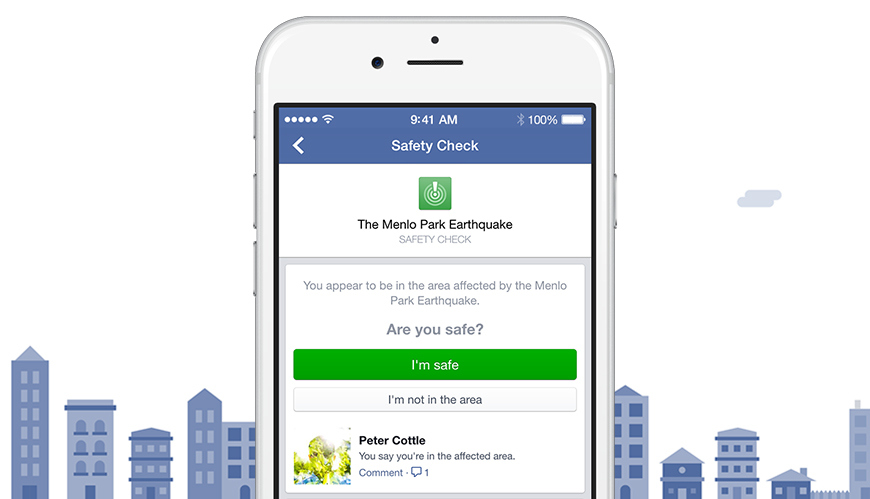
In times of disaster or crisis, people turn to Facebook to check on loved ones and get updates. It is in these moments that communication is most critical both for people in the affected areas and for their friends and families anxious for news.
Facebook wants to provide a helpful tool that people can use when major disasters strike, and introduced Safety Check – a simple and easy way to say you’re safe and check on others. Itwill be available globally on Android, iOS, feature phones and desktop.
During a major disaster, Safety Check will help you:
- Let friends and family know you’re safe
- Check on others in the affected area
- Mark your friends as safe
Only your friends will see your safety status and the comments you share.
The 2011 earthquake and tsunami in Japan was devastating. According to the Japanese Red Cross, more than 12.5 million people were affected nationwide, and more than 400,000 people were evacuated. During that crisis we saw how people used technology and social media to stay connected with those they cared about.
Unfortunately, these kinds of disasters happen all too frequently. Each time, we see people, relief organizations and first responders turn to social media in the aftermath of a major natural disaster.
Here’s how it works:
When the tool is activated after a natural disaster and if you’re in the affected area, you’ll receive a Facebook notification asking if you’re safe.
Facebook will determine your location by looking at the city you have listed in your profile, your last location if you’ve opted in to the Nearby Friends product, and the city where you are using the internet.
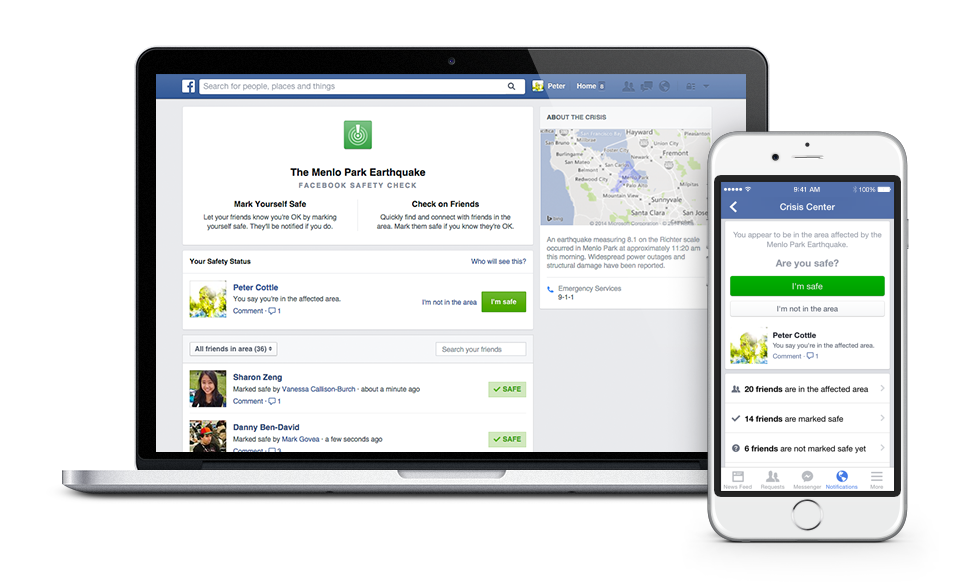
If you’re safe, you can select “I’m Safe” and a notification and News Feed story will be generated with your update. Your friends can also mark you as safe.
If you have friends in the area of a natural disaster and the tool has been activated, you will receive a notification about those friends that have marked themselves as safe. Clicking on this notification will take you to the Safety Check bookmark that will show you a list of their updates.
Sources: Facebook, Elsevier, XGN, Newsmonkey
Questions about this article
How does Facebook Safety Check work?
When the tool is activated after a natural disaster, people in the affected area get a notification asking if they are safe. Selecting “I’m Safe” creates a notification and News Feed story for friends.
How does Facebook know whether you are in the disaster area?
It looks at the city listed in your profile, your last location if you opted in to Nearby Friends, and the city where you are using the internet.
Who can see your Safety Check status?
Only your friends can see your safety status and the comments you share.
Questions and answers added in 2026, based on the article above.