App: CarCamApp

Turn your iPhone into a dash cam to record your beautiful drives, trips to the race track or just our everyday commute.
CarCam records high quality video with additional information like:
- Speed in mph, km/h or knots
- maximum Speed
- Distance
- Acceleration, Braking and steering forces
- Maximum Forces
- Time
Store your videos in the app or export to the iPhone’s library or directly post to your Facebook page for your friends to see!
Customize the appearance by enabling the display of your current location or disabling the recording of your current and maximum speed.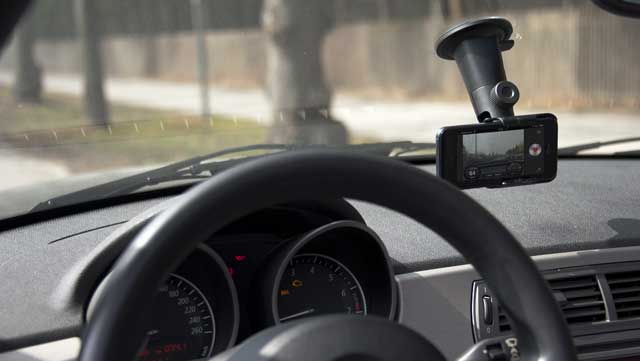
Whether you want an extra set of eyes in the case of an accident, or you’re just curious about your own driving habits, there’s no doubt that having a dash cam can help you.
If you’re not sure you need a dash cam at all, watch the following video. It’s a news story about how prevalent dash cams are in Russia due to insurance fraud and police corruption. It might just convince you that having a dash cam is a good idea where you live too.
But should you spend a few hundred dollars on a stand-alone dash cam or should you use the camera and GPS device you already have – your Android smartphone? I’ve set out to test three of the most popular and well rated Android dash cam apps to let you know what I think of them.
Or choose one of the many other dashcam apps.
This video is no longer available. Original on YouTube
Questions about this article
What does the CarCam app do?
CarCam turns an iPhone into a dash cam. It records video of the road with additional data such as speed, distance, acceleration, braking and steering forces, and time.
Why would a driver use a dash cam app?
According to the article, a dash cam gives an extra set of eyes in case of an accident or shows your own driving habits. It refers to Russia, where dash cams are common because of insurance fraud and police corruption.
Questions and answers added in 2026, based on the article above.