App: Shake for Help
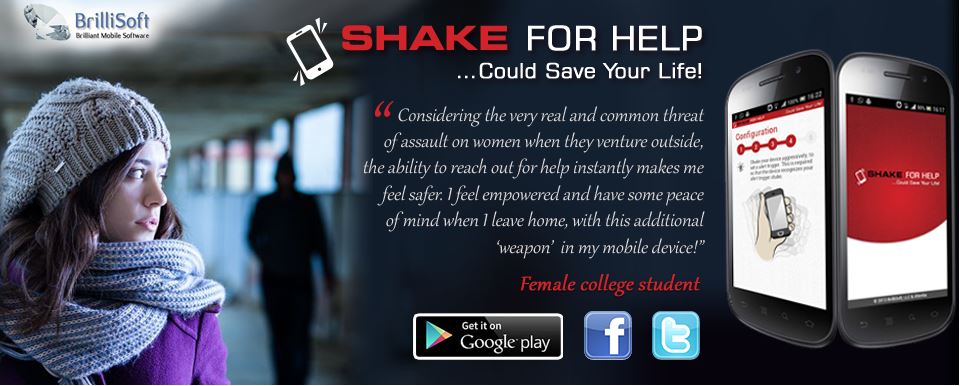



Install and configure this app on your phone and, if you are ever in trouble (feeling threatened, under attack, having a medical emergency, or any similar situation), simply shake your phone. That’s it! The app will periodically contact your emergency contacts and let them know you may be in trouble. It will also let them know your location and other useful information.
Shake For Help uses patent pending technology to keep you and your loved ones safe. It is perfect in situations when it’s not possible or practical to dial the authorities and give them the information they need to help you. Most people have their smartphone with them 24/7, which makes it the perfect personal security device. Unlike other apps, you don’t need to launch the app and try to remember what to do. Simply shake your phone!
Install this app on your entire family’s Android devices and spend a minute configuring each one (you can do this even if you know nothing about technology, because we’ve made the process super-simple). After that, you never need to launch the app again. It will run in the background, listening for a shake trigger. It will then send out the necessary distress signals to call for help. Installing this app on your device offers peace of mind.
We have designed this app to be extremely simple to use. Elderly people who have no experience with smartphones will easily be able to use this app. Young children will have no problem using the app. The configuration process is simple and walks the user through the process, step by step, in simple English. After the app has been configured, all the user needs to know is how to shake their phone!
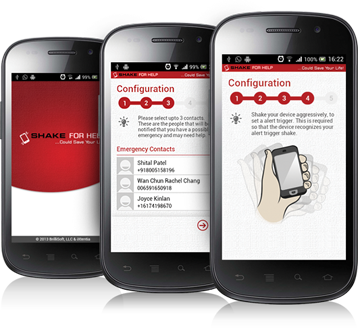
Source: ShakeForHelp
Questions about this article
How does Shake for Help work?
After you configure the app and choose emergency contacts, it runs in the background. When you shake your phone, it repeatedly contacts those people to say you may be in trouble and shares your location.
Who is Shake for Help meant for?
According to the makers, anyone who may need help when calling is not practical, including elderly people without smartphone experience and young children. The promotional banner quotes a female college student about safety when going outside.
Questions and answers added in 2026, based on the article above.